Layout gallery
12 ready-made arrangements of the editor's panels, each a drawbridge-layout.json you download and import. They are examples, not presets: import one, then move, hide or resize anything — the layout is yours from there, and the Layout sheet’s Reset to default is always one click away.
The pictures show Studio, the layout Drawbridge opens in. The same file arranges the same panels in Classic.
How to use one
- Download a file below.
- In the app, open the app menu (☰) and choose Edit layout.
- In the Layout sheet, under Move between computers, choose Import… and pick the file — or drop the file onto the sheet.
- Press Done. The layout is kept on this device; ⌘Z / Ctrl Z while still editing undoes the import.
A panel a layout puts away is one switch away in the same sheet. To share an arrangement of your own, the sheet’s Export… writes the same kind of file. The panels are described on The canvas → Your workspace.
Compact
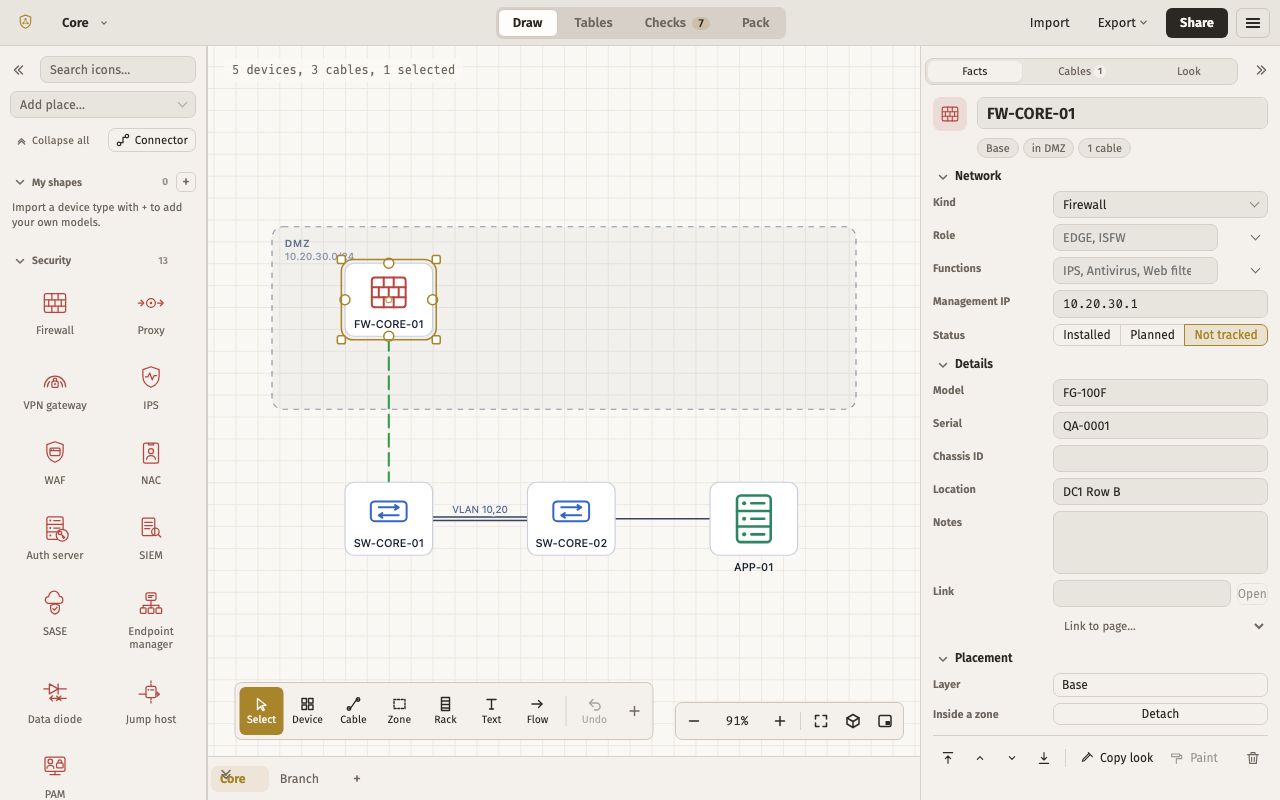
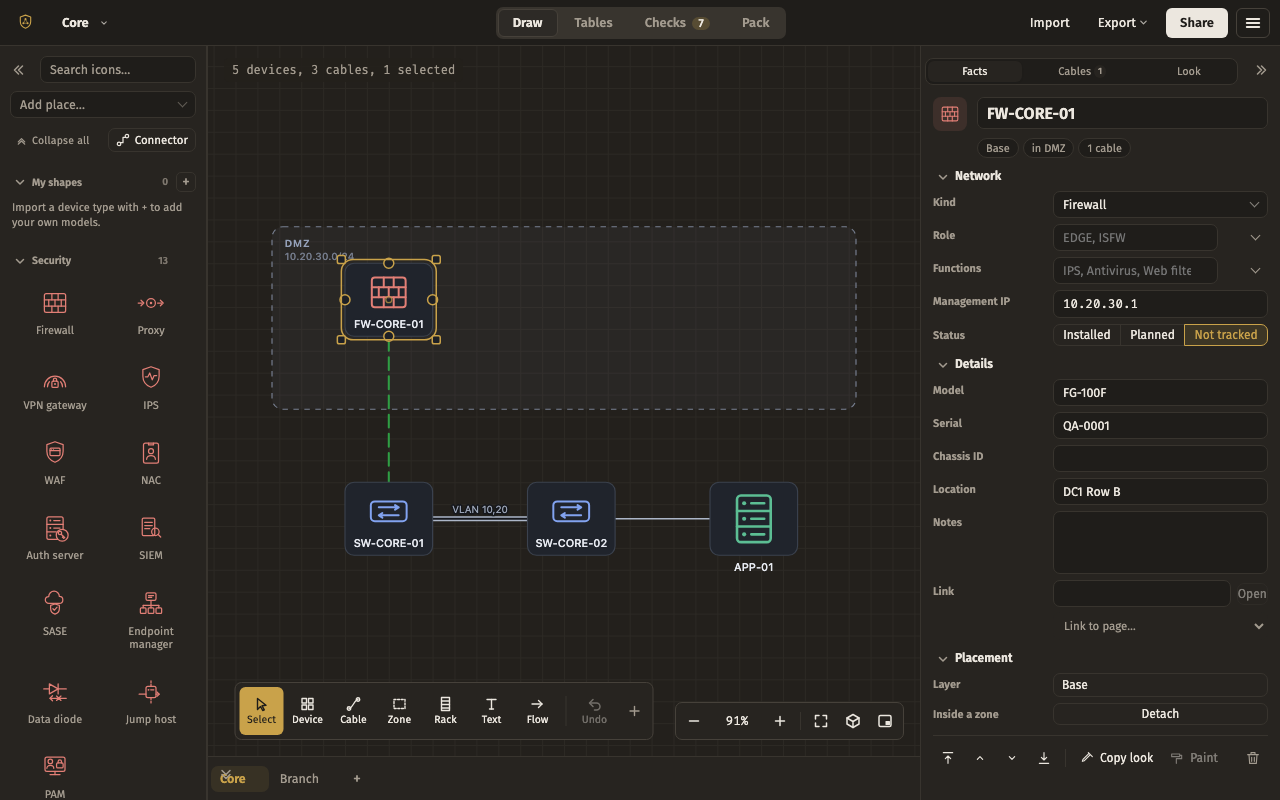
For a 13-inch laptop: Shapes on the left, a wide Properties column on the right, the page tabs docked along the bottom, and every other panel put away until you need it.
Shapes left · Properties right · Pages bottom. Put away: Minimap, Drawing, Cable schedule, Trace a path, Find, History, Collaborators, Table, Checks.
The file, to copy
{
  "app": "drawbridge",
  "kind": "layout",
  "version": 2,
  "exported": "2026-09-15T00:00:00.000Z",
  "layout": {
    "docks": {
      "top": [],
      "left": [
        "palette"
      ],
      "right": [
        "inspector"
      ],
      "bottom": [
        "pages"
      ]
    },
    "floating": {},
    "sizes": {
      "top": 40,
      "left": 208,
      "right": 360,
      "bottom": 44
    },
    "weights": {},
    "groups": [],
    "preset": null
  }
}
Cabling desk
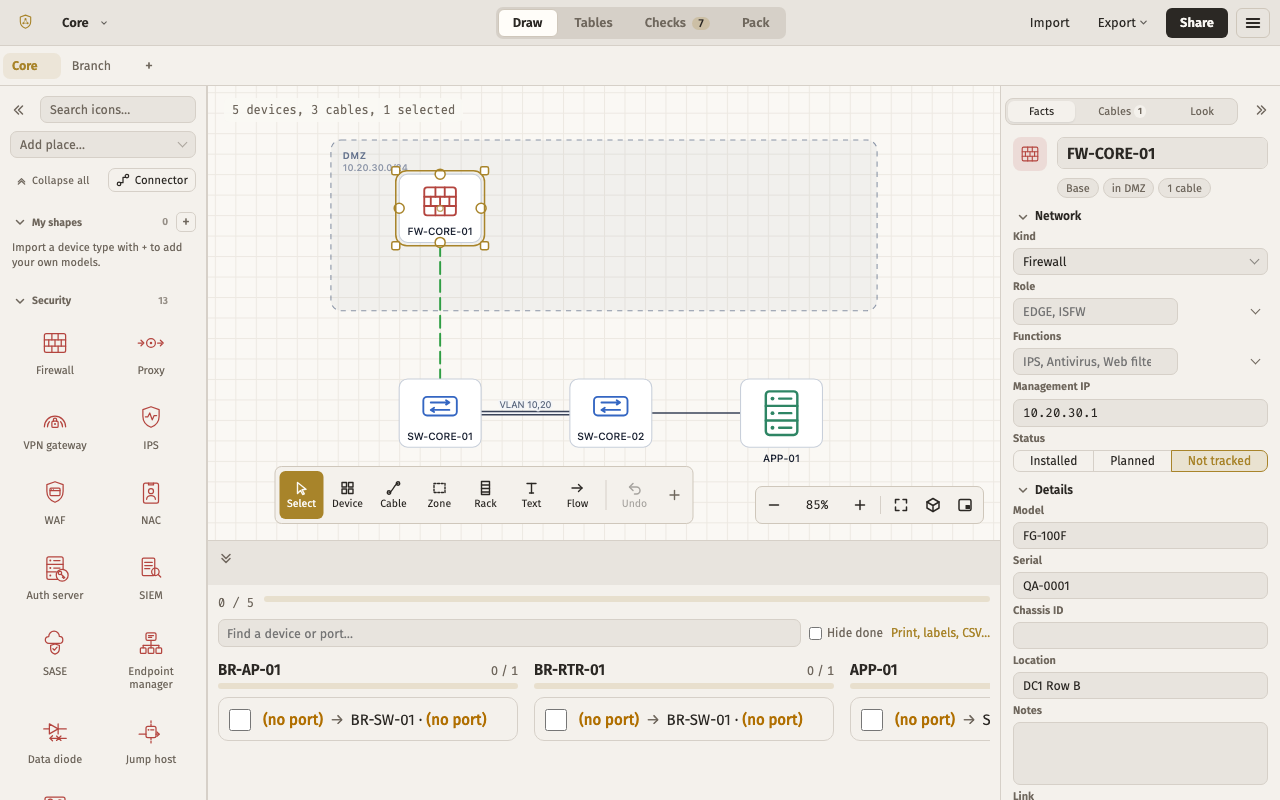
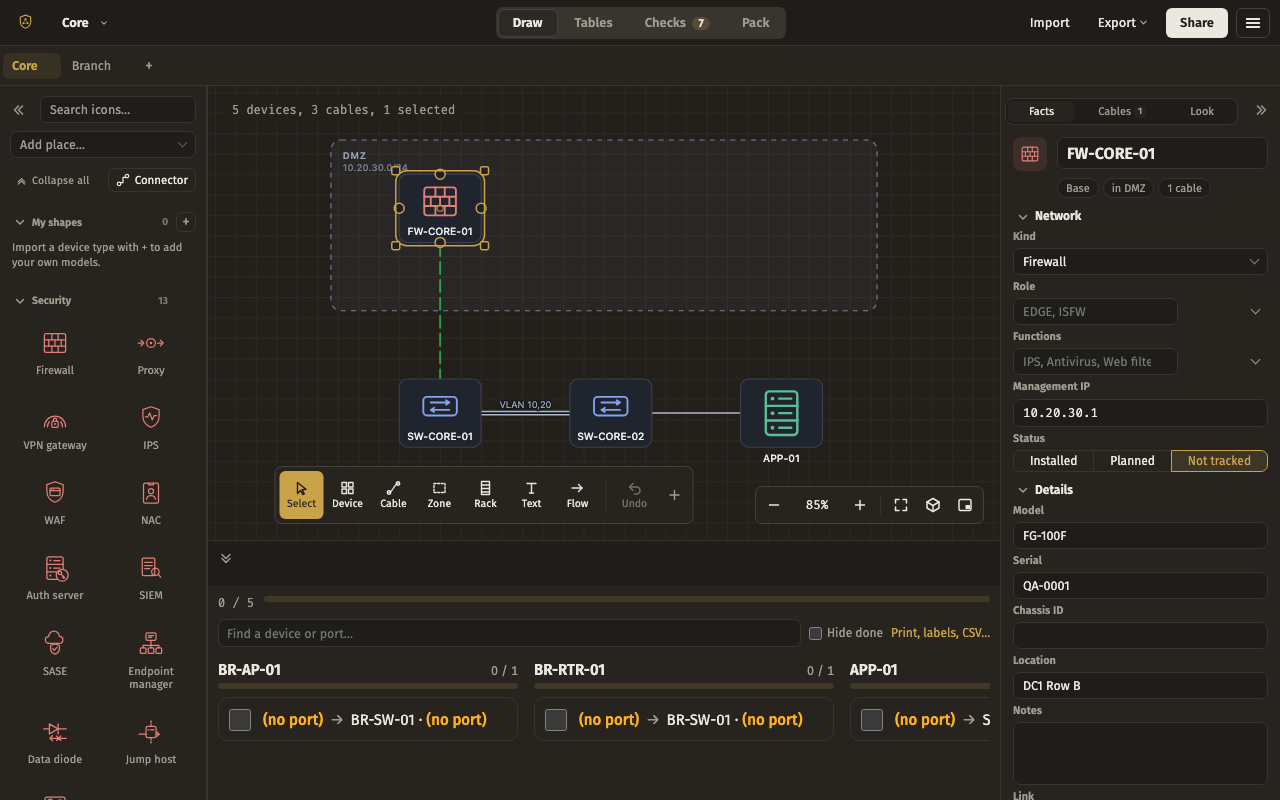
For patching one rack at a time: the cable schedule sits along the bottom where a checklist belongs, with Shapes and Properties either side and the pages as tabs above.
Pages top · Shapes left · Properties right · Cable schedule bottom. Put away: Minimap, Drawing, Trace a path, Find, History, Collaborators, Table, Checks.
The file, to copy
{
  "app": "drawbridge",
  "kind": "layout",
  "version": 2,
  "exported": "2026-09-15T00:00:00.000Z",
  "layout": {
    "docks": {
      "top": [
        "pages"
      ],
      "left": [
        "palette"
      ],
      "right": [
        "inspector"
      ],
      "bottom": [
        "cables"
      ]
    },
    "floating": {},
    "sizes": {
      "top": 40,
      "left": 208,
      "right": 280,
      "bottom": 260
    },
    "weights": {},
    "groups": [],
    "preset": null
  }
}
Handover
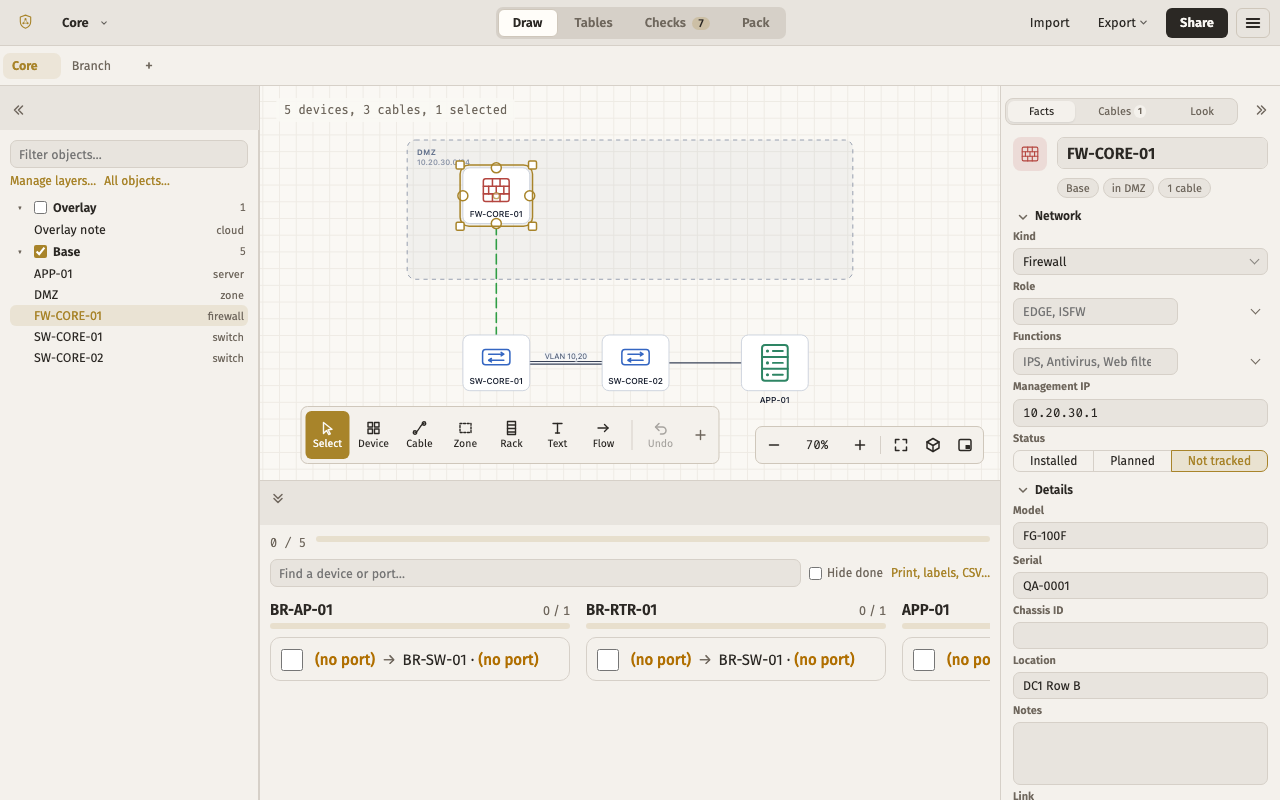
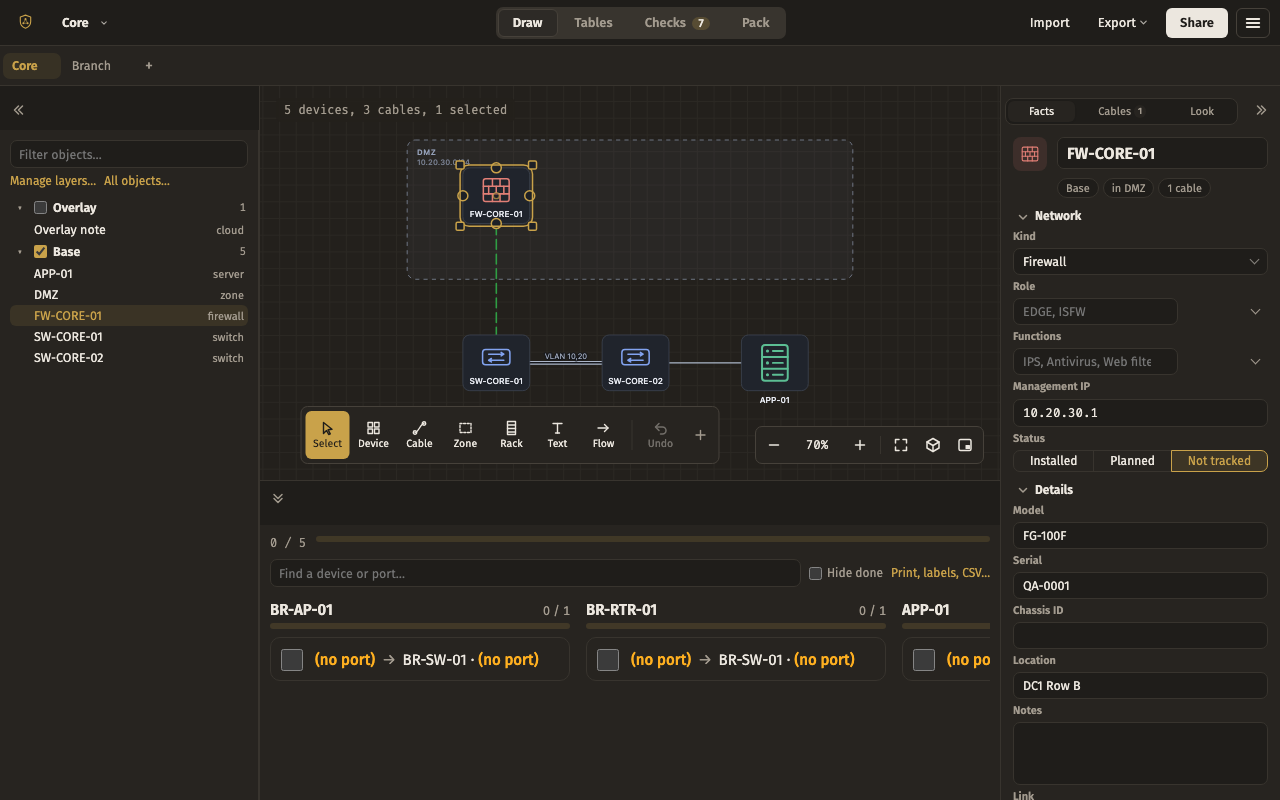
For writing the documentation that goes with a finished drawing: the Drawing tree replaces Shapes on the left, the cable schedule takes a tall bottom dock, and the minimap keeps its corner.
Pages top · Drawing left · Properties right · Cable schedule bottom · Minimap floating. Put away: Shapes, Trace a path, Find, History, Collaborators, Table, Checks.
The file, to copy
{
  "app": "drawbridge",
  "kind": "layout",
  "version": 2,
  "exported": "2026-09-15T00:00:00.000Z",
  "layout": {
    "docks": {
      "top": [
        "pages"
      ],
      "left": [
        "objects"
      ],
      "right": [
        "inspector"
      ],
      "bottom": [
        "cables"
      ]
    },
    "floating": {
      "minimap": {
        "anchor": "bottom-right",
        "x": 12,
        "y": 12,
        "w": "auto",
        "h": "auto"
      }
    },
    "sizes": {
      "top": 40,
      "left": 260,
      "right": 280,
      "bottom": 320
    },
    "weights": {},
    "groups": [],
    "preset": null
  }
}
Trace and find
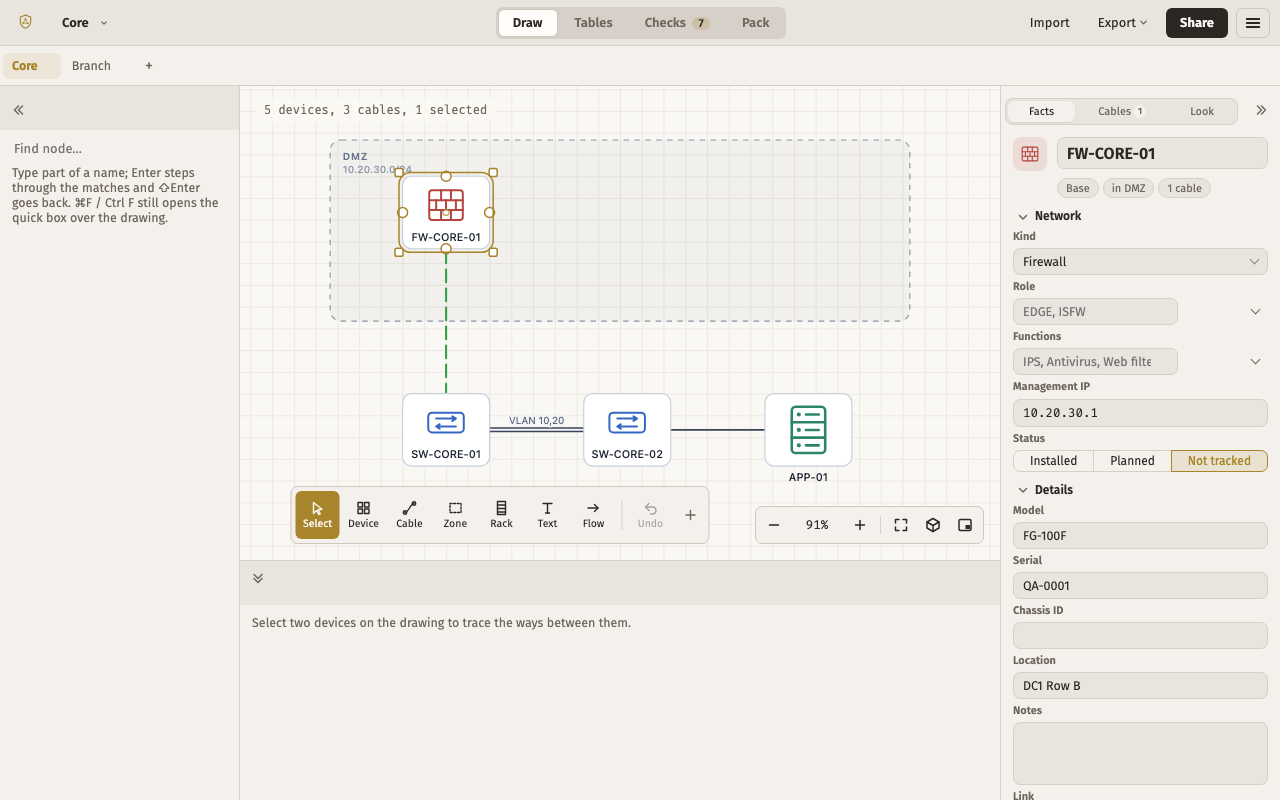
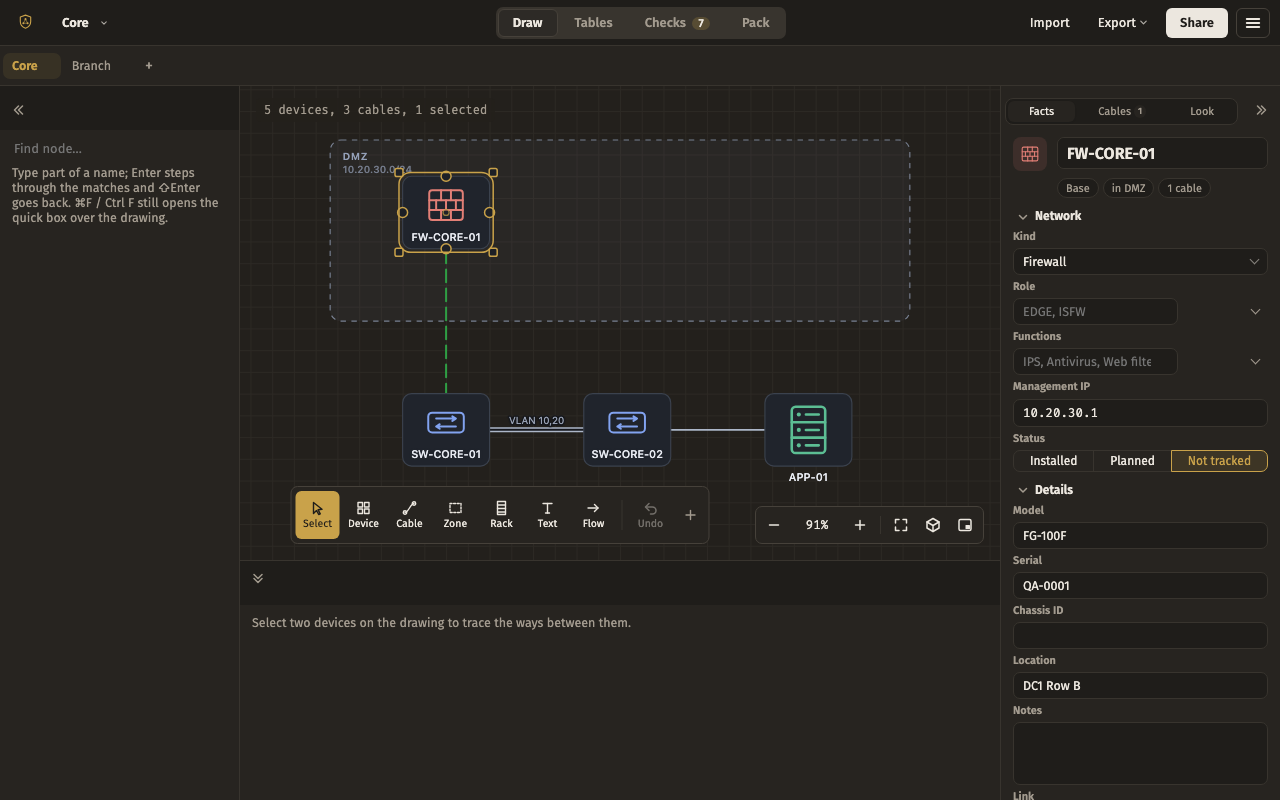
For troubleshooting: Find on the left, Properties on the right, Trace a path along the bottom so every route between two devices is listed under the drawing.
Pages top · Find left · Properties right · Trace a path bottom · Minimap floating. Put away: Shapes, Drawing, Cable schedule, History, Collaborators, Table, Checks.
The file, to copy
{
  "app": "drawbridge",
  "kind": "layout",
  "version": 2,
  "exported": "2026-09-15T00:00:00.000Z",
  "layout": {
    "docks": {
      "top": [
        "pages"
      ],
      "left": [
        "find"
      ],
      "right": [
        "inspector"
      ],
      "bottom": [
        "trace"
      ]
    },
    "floating": {
      "minimap": {
        "anchor": "bottom-right",
        "x": 12,
        "y": 12,
        "w": "auto",
        "h": "auto"
      }
    },
    "sizes": {
      "top": 40,
      "left": 240,
      "right": 280,
      "bottom": 240
    },
    "weights": {},
    "groups": [],
    "preset": null
  }
}
Ultrawide
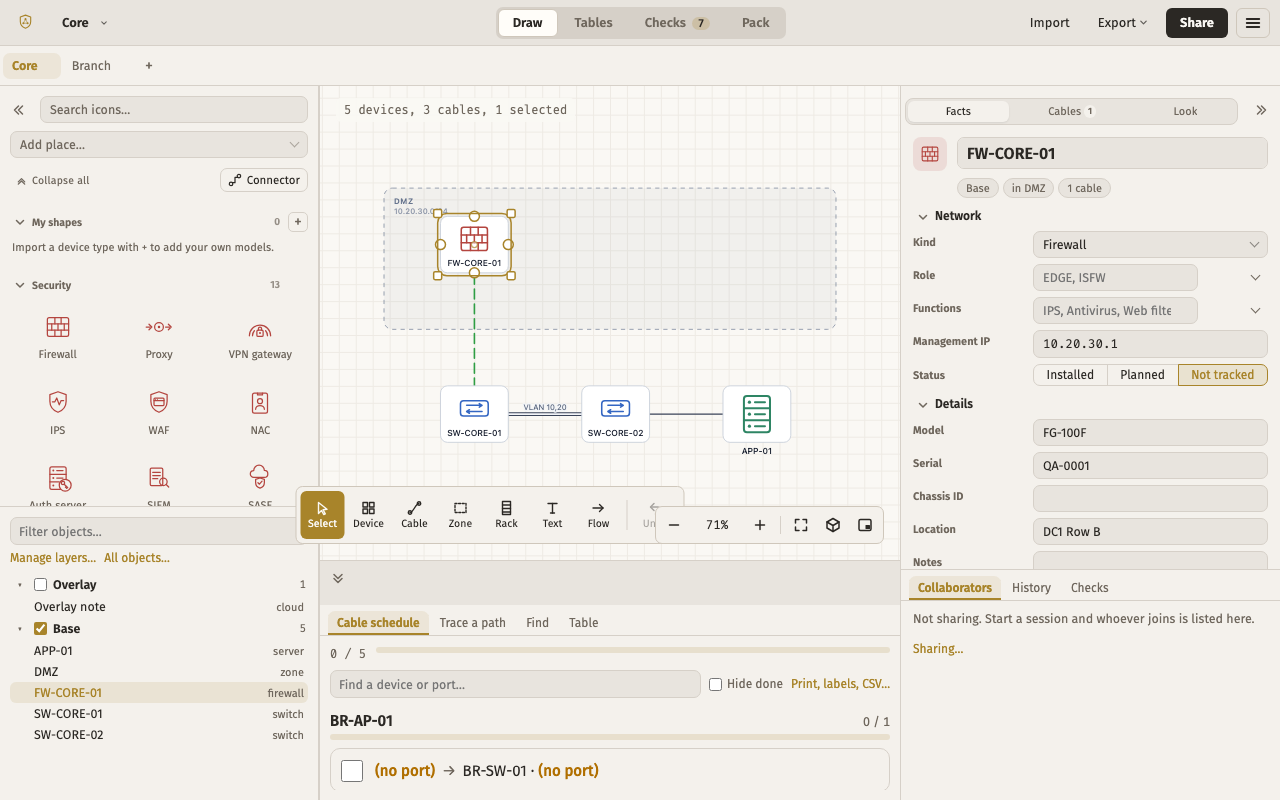
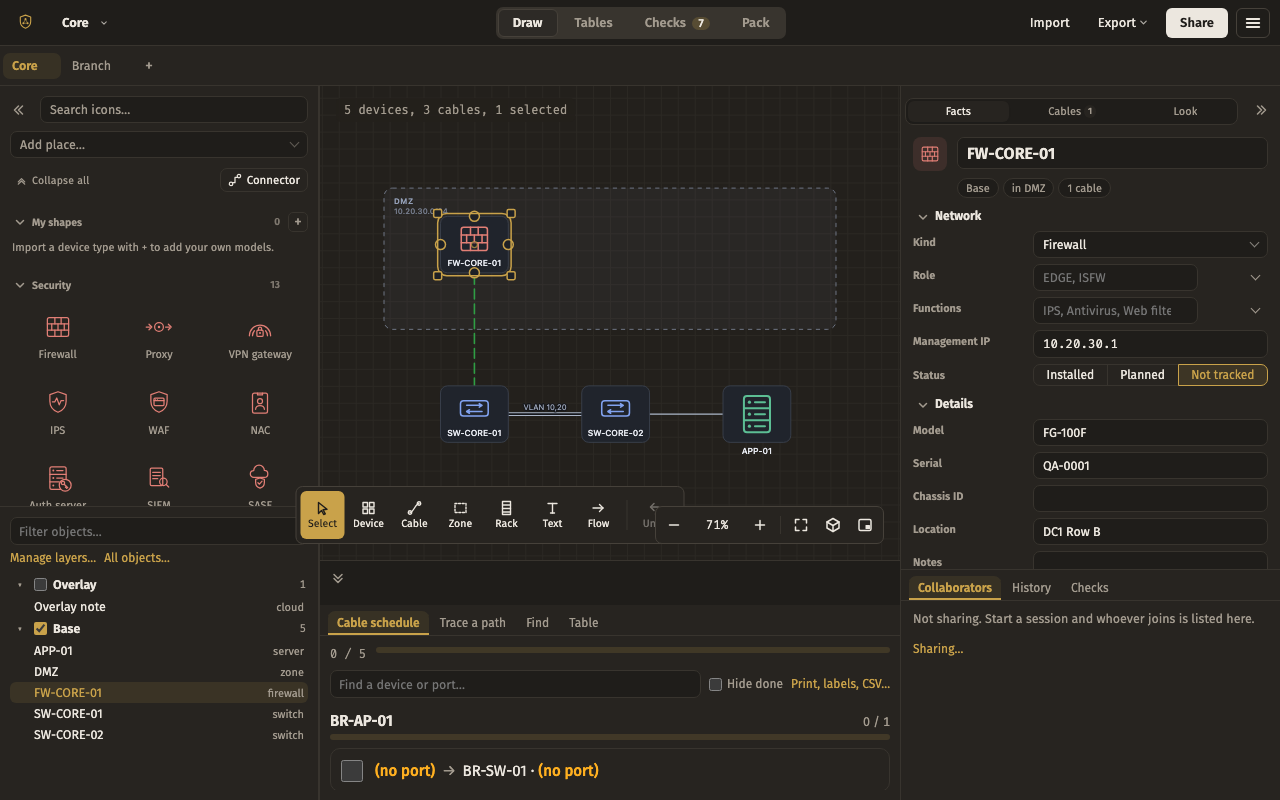
For a 34-inch monitor with room to spare: every panel docked and visible — Shapes over the Drawing tree on the left; Properties, the minimap, and Collaborators, History and Checks as tabs on the right; the cable schedule, Trace, Find and the Table as tabs along the bottom.
Pages top · Shapes left · Drawing left · Properties right · Minimap right · Collaborators right · History right · Checks right · Cable schedule bottom · Trace a path bottom · Find bottom · Table bottom.
The file, to copy
{
  "app": "drawbridge",
  "kind": "layout",
  "version": 2,
  "exported": "2026-09-15T00:00:00.000Z",
  "layout": {
    "docks": {
      "top": [
        "pages"
      ],
      "left": [
        "palette",
        "objects"
      ],
      "right": [
        "inspector",
        "minimap",
        "collab",
        "history",
        "checks"
      ],
      "bottom": [
        "cables",
        "trace",
        "find",
        "table"
      ]
    },
    "floating": {},
    "sizes": {
      "top": 40,
      "left": 320,
      "right": 380,
      "bottom": 240
    },
    "weights": {
      "palette": 1.4,
      "inspector": 2
    },
    "groups": [
      {
        "tabs": [
          "collab",
          "history",
          "checks"
        ],
        "active": "collab"
      },
      {
        "tabs": [
          "cables",
          "trace",
          "find",
          "table"
        ],
        "active": "cables"
      }
    ],
    "preset": null
  }
}
Mirrored
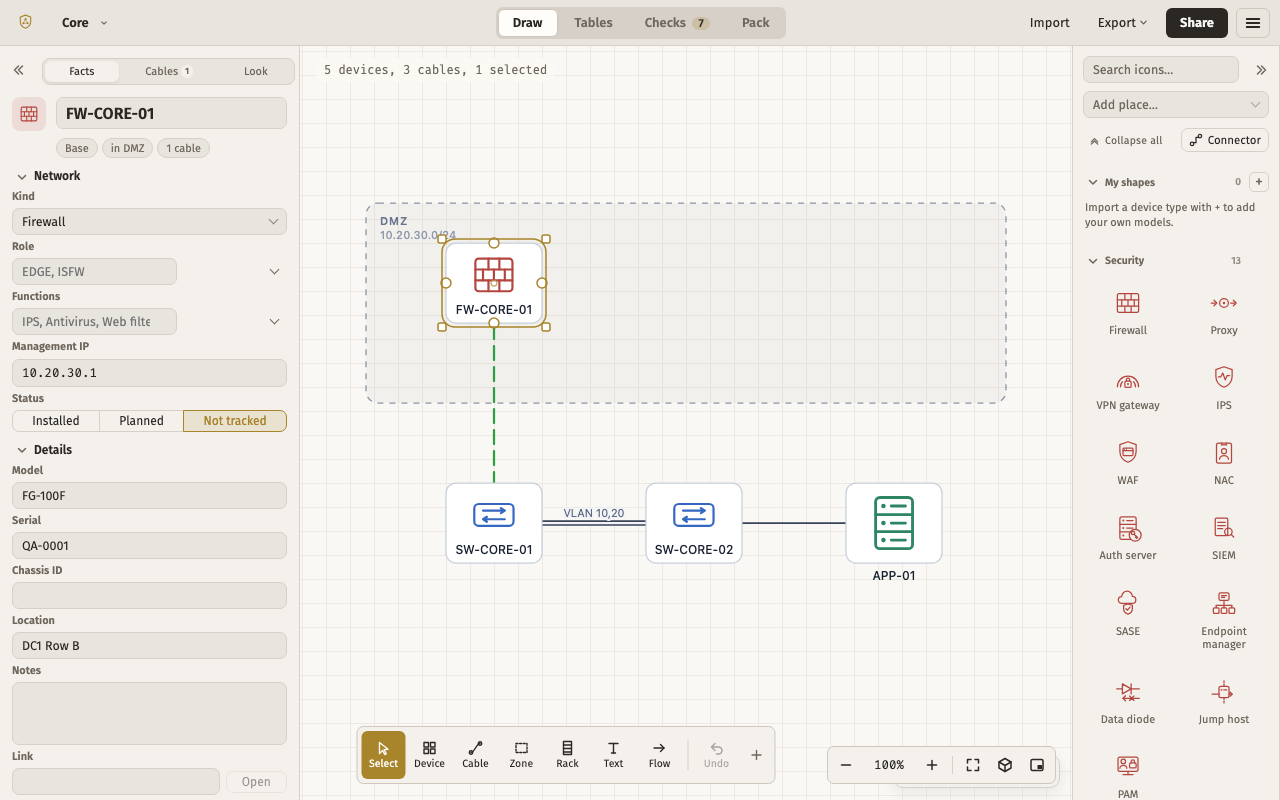
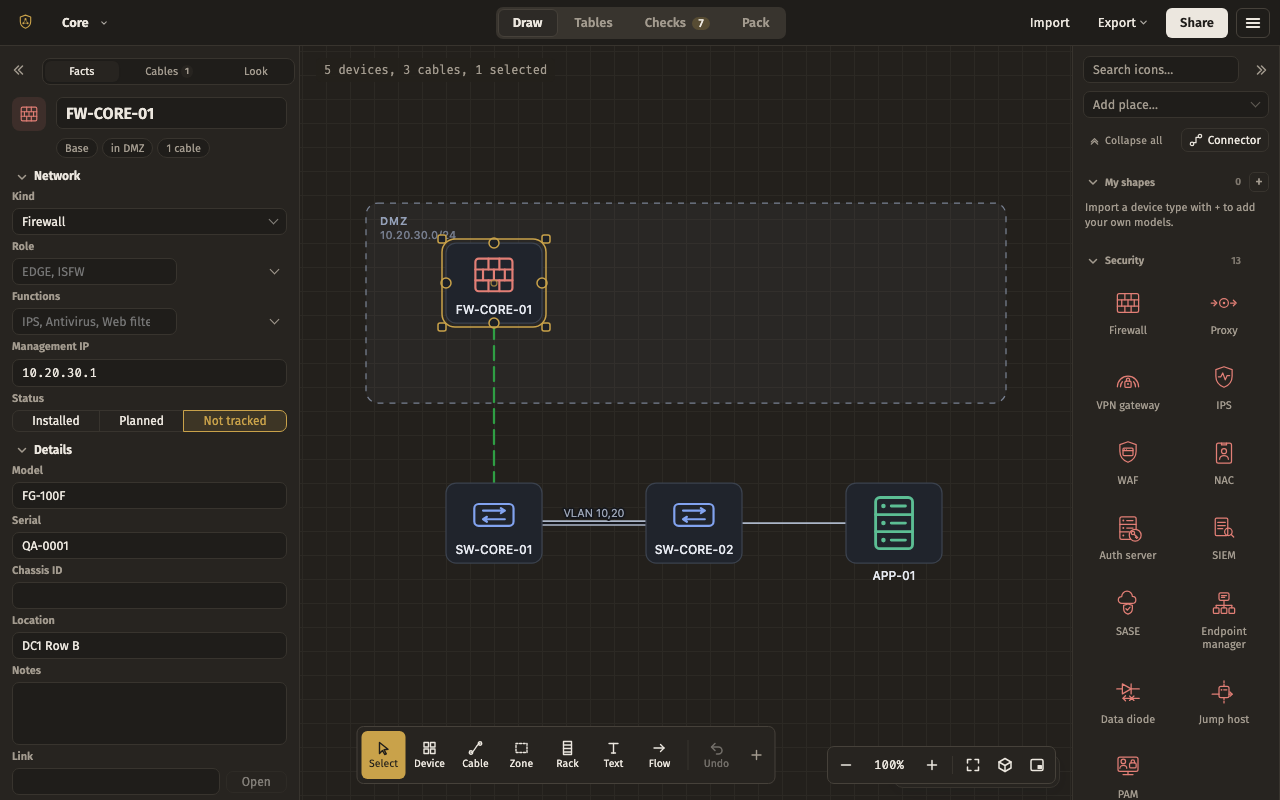
The default layout flipped for a mouse on the left: Properties docked left, Shapes docked right, the page tabs in the bottom-right corner and the minimap in the bottom-left.
Properties left · Shapes right · Pages floating · Minimap floating. Put away: Drawing, Cable schedule, Trace a path, Find, History, Collaborators, Table, Checks.
The file, to copy
{
  "app": "drawbridge",
  "kind": "layout",
  "version": 2,
  "exported": "2026-09-15T00:00:00.000Z",
  "layout": {
    "docks": {
      "top": [],
      "left": [
        "inspector"
      ],
      "right": [
        "palette"
      ],
      "bottom": []
    },
    "floating": {
      "pages": {
        "anchor": "bottom-right",
        "x": 12,
        "y": 12,
        "w": "auto",
        "h": "auto"
      },
      "minimap": {
        "anchor": "bottom-left",
        "x": 12,
        "y": 12,
        "w": "auto",
        "h": "auto"
      }
    },
    "sizes": {
      "top": 40,
      "left": 300,
      "right": 208,
      "bottom": 160
    },
    "weights": {},
    "groups": [],
    "preset": null
  }
}
Cards
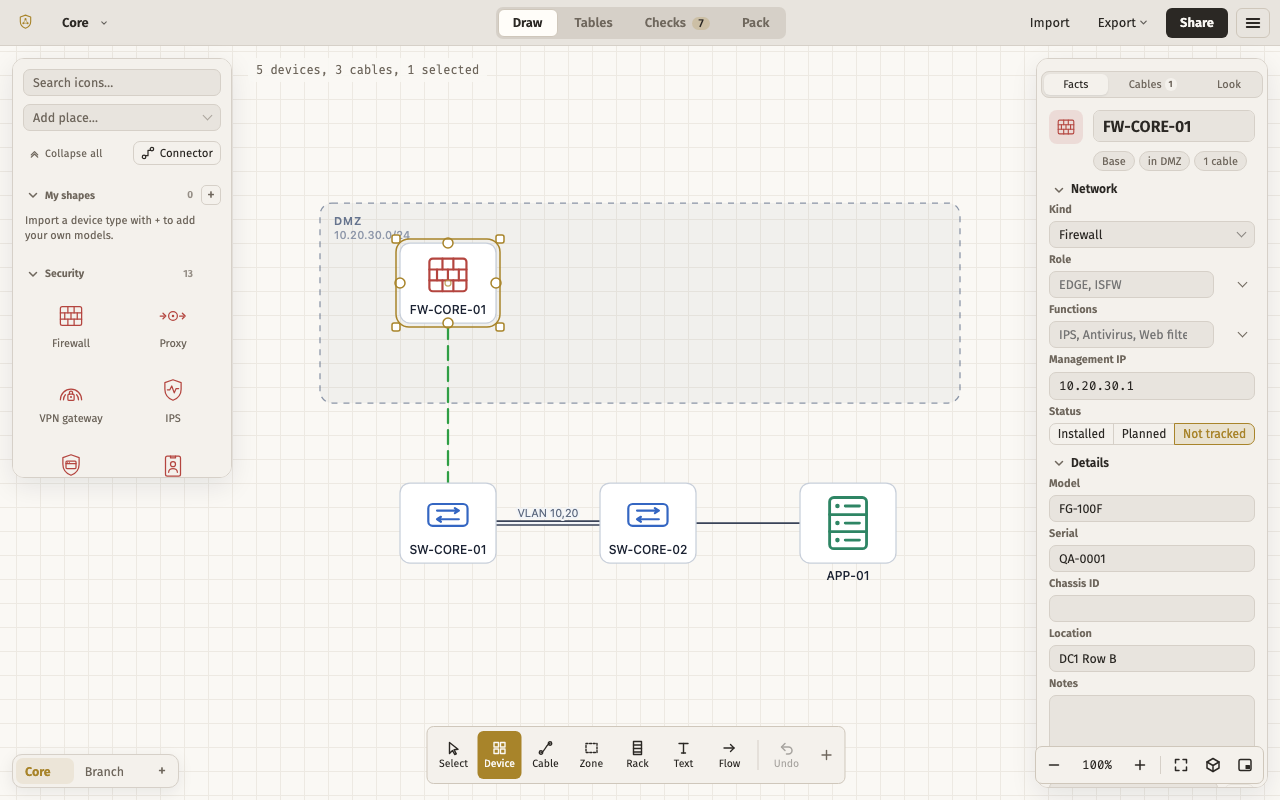
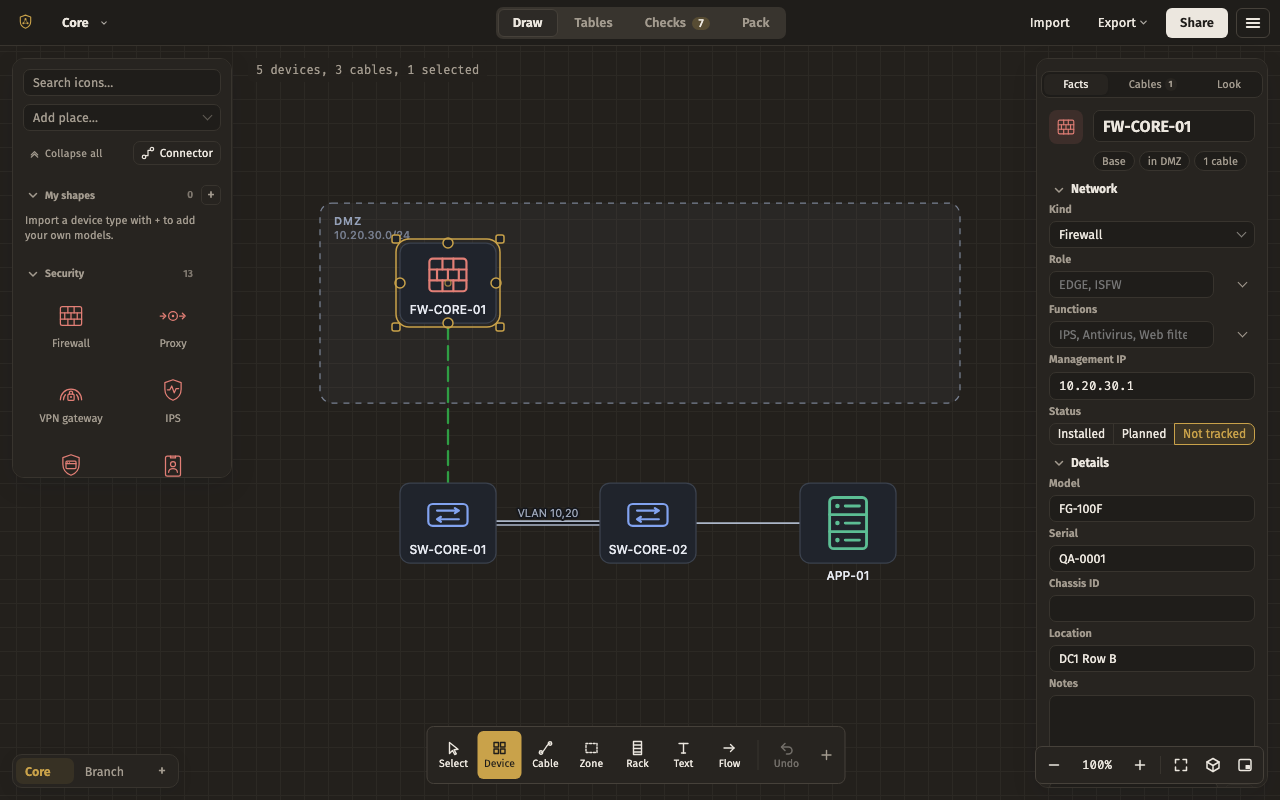
Nothing docked at all: Shapes, Properties, the page tabs and the minimap each float in a corner over a drawing that fills the whole window. Drag any card by its top edge.
Shapes floating · Properties floating · Pages floating · Minimap floating. Put away: Drawing, Cable schedule, Trace a path, Find, History, Collaborators, Table, Checks.
The file, to copy
{
  "app": "drawbridge",
  "kind": "layout",
  "version": 2,
  "exported": "2026-09-15T00:00:00.000Z",
  "layout": {
    "docks": {
      "top": [],
      "left": [],
      "right": [],
      "bottom": []
    },
    "floating": {
      "palette": {
        "anchor": "top-left",
        "x": 12,
        "y": 12,
        "w": 220,
        "h": 420
      },
      "inspector": {
        "anchor": "top-right",
        "x": 12,
        "y": 12,
        "w": 232,
        "h": "auto"
      },
      "pages": {
        "anchor": "bottom-left",
        "x": 12,
        "y": 12,
        "w": "auto",
        "h": "auto"
      },
      "minimap": {
        "anchor": "bottom-right",
        "x": 12,
        "y": 12,
        "w": "auto",
        "h": "auto"
      }
    },
    "sizes": {
      "top": 40,
      "left": 208,
      "right": 232,
      "bottom": 160
    },
    "weights": {},
    "groups": [],
    "preset": null
  }
}
One dock
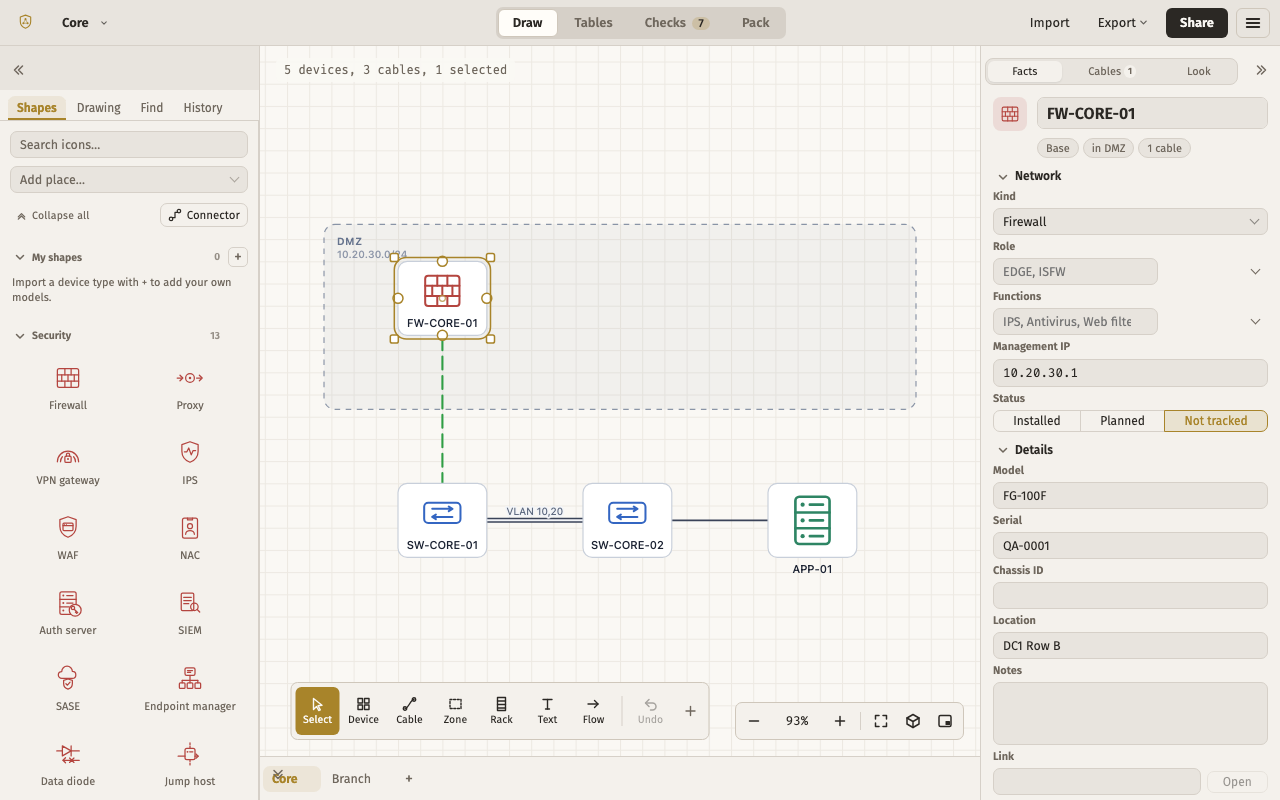
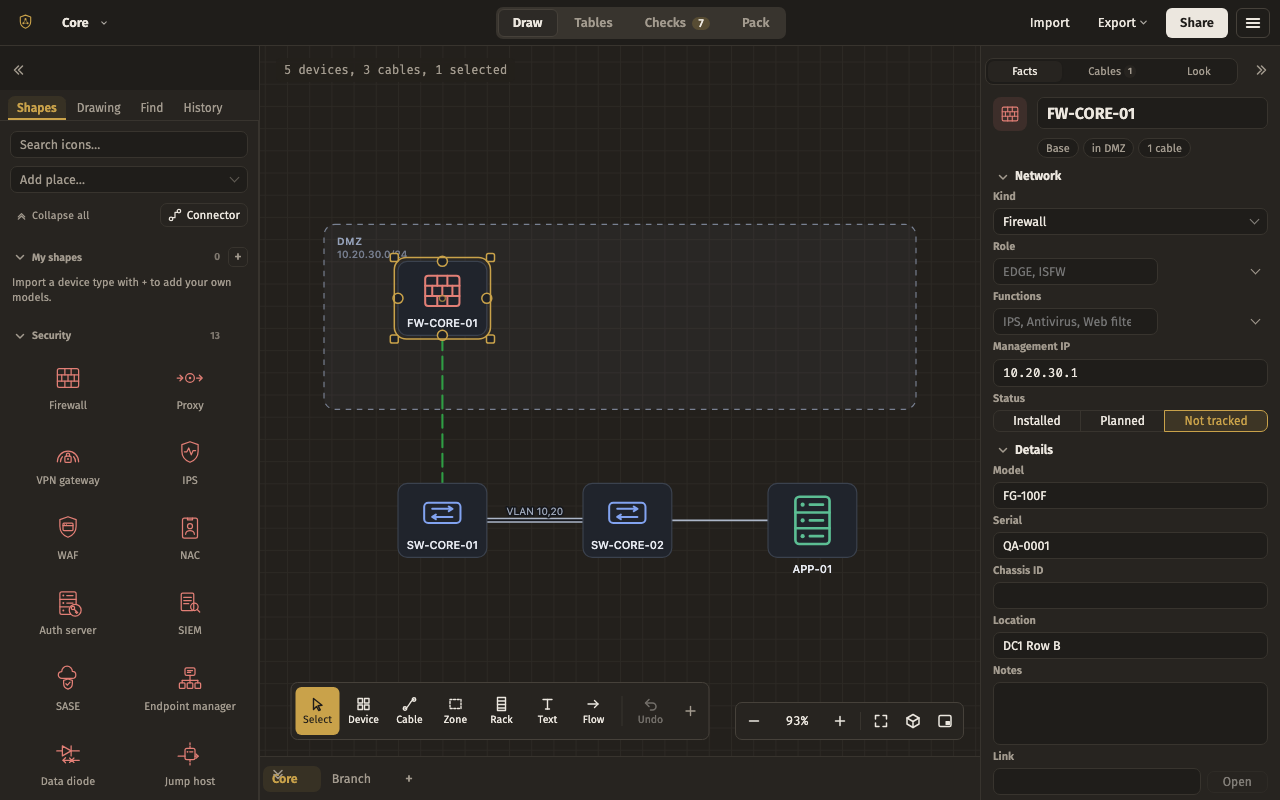
Everything you switch between lives in one left dock as tabs — Shapes, Drawing, Find and History — with Properties on the right and the page tabs along the bottom.
Shapes left · Drawing left · Find left · History left · Properties right · Pages bottom. Put away: Minimap, Cable schedule, Trace a path, Collaborators, Table, Checks.
The file, to copy
{
  "app": "drawbridge",
  "kind": "layout",
  "version": 2,
  "exported": "2026-09-15T00:00:00.000Z",
  "layout": {
    "docks": {
      "top": [],
      "left": [
        "palette",
        "objects",
        "find",
        "history"
      ],
      "right": [
        "inspector"
      ],
      "bottom": [
        "pages"
      ]
    },
    "floating": {},
    "sizes": {
      "top": 40,
      "left": 260,
      "right": 300,
      "bottom": 44
    },
    "weights": {},
    "groups": [
      {
        "tabs": [
          "palette",
          "objects",
          "find",
          "history"
        ],
        "active": "palette"
      }
    ],
    "preset": null
  }
}
Right-hand
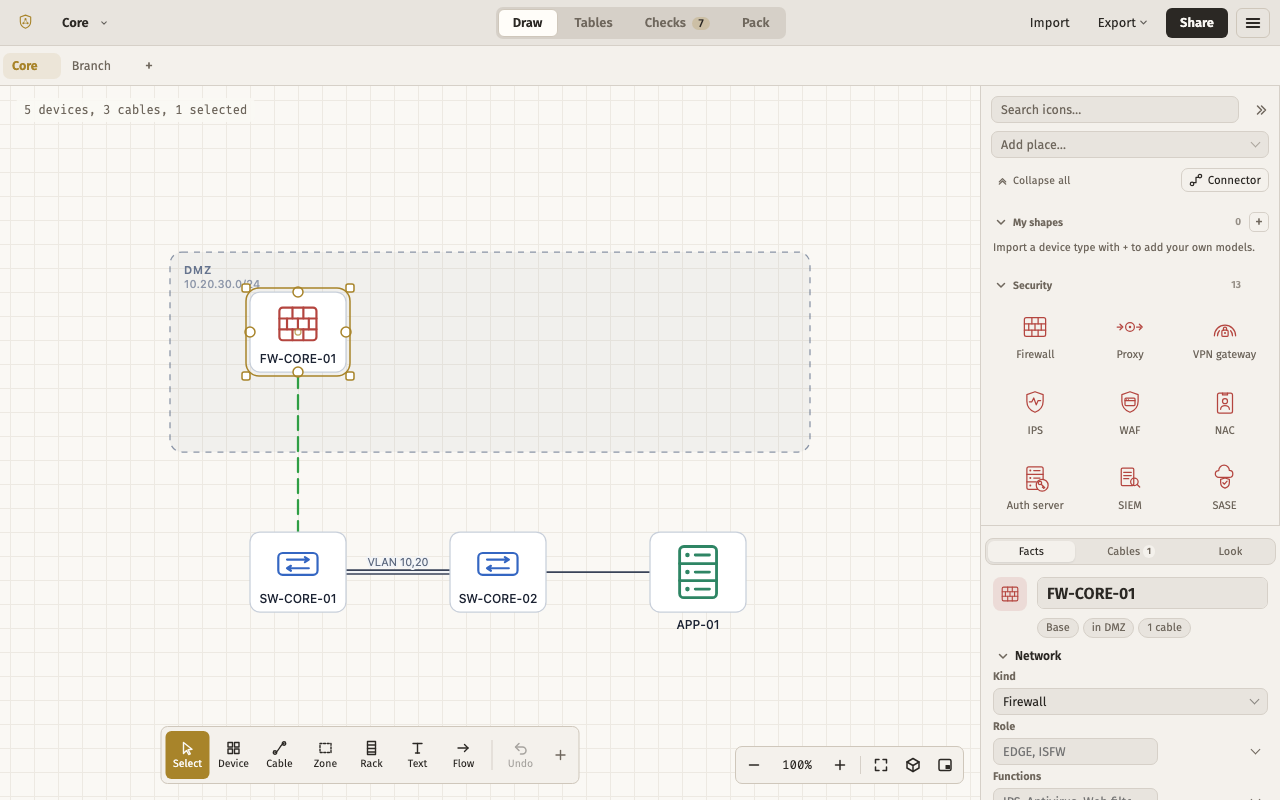
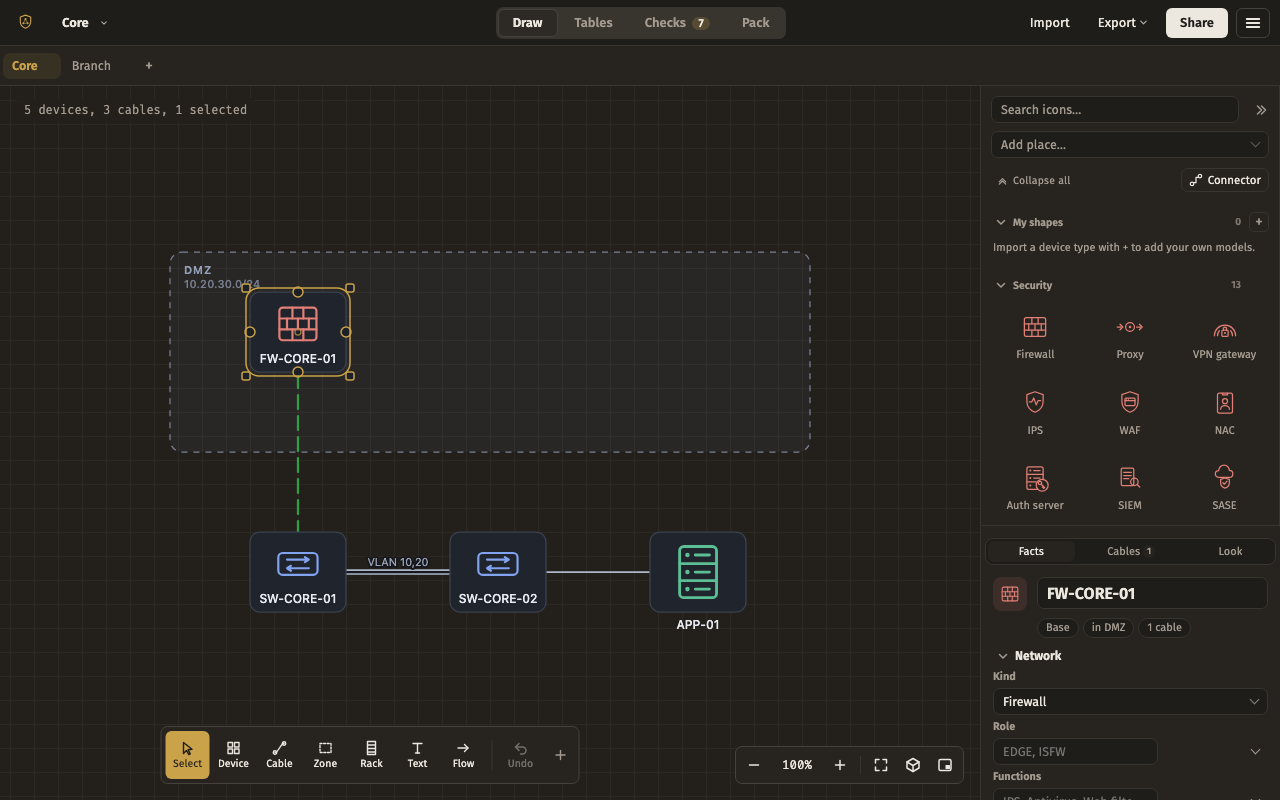
For a browser window beside another app: the left edge stays clear, Shapes sit above Properties in a single right dock, and the pages are tabs across the top.
Pages top · Shapes right · Properties right. Put away: Minimap, Drawing, Cable schedule, Trace a path, Find, History, Collaborators, Table, Checks.
The file, to copy
{
  "app": "drawbridge",
  "kind": "layout",
  "version": 2,
  "exported": "2026-09-15T00:00:00.000Z",
  "layout": {
    "docks": {
      "top": [
        "pages"
      ],
      "left": [],
      "right": [
        "palette",
        "inspector"
      ],
      "bottom": []
    },
    "floating": {},
    "sizes": {
      "top": 40,
      "left": 208,
      "right": 300,
      "bottom": 160
    },
    "weights": {
      "palette": 1.6
    },
    "groups": [],
    "preset": null
  }
}
Session host
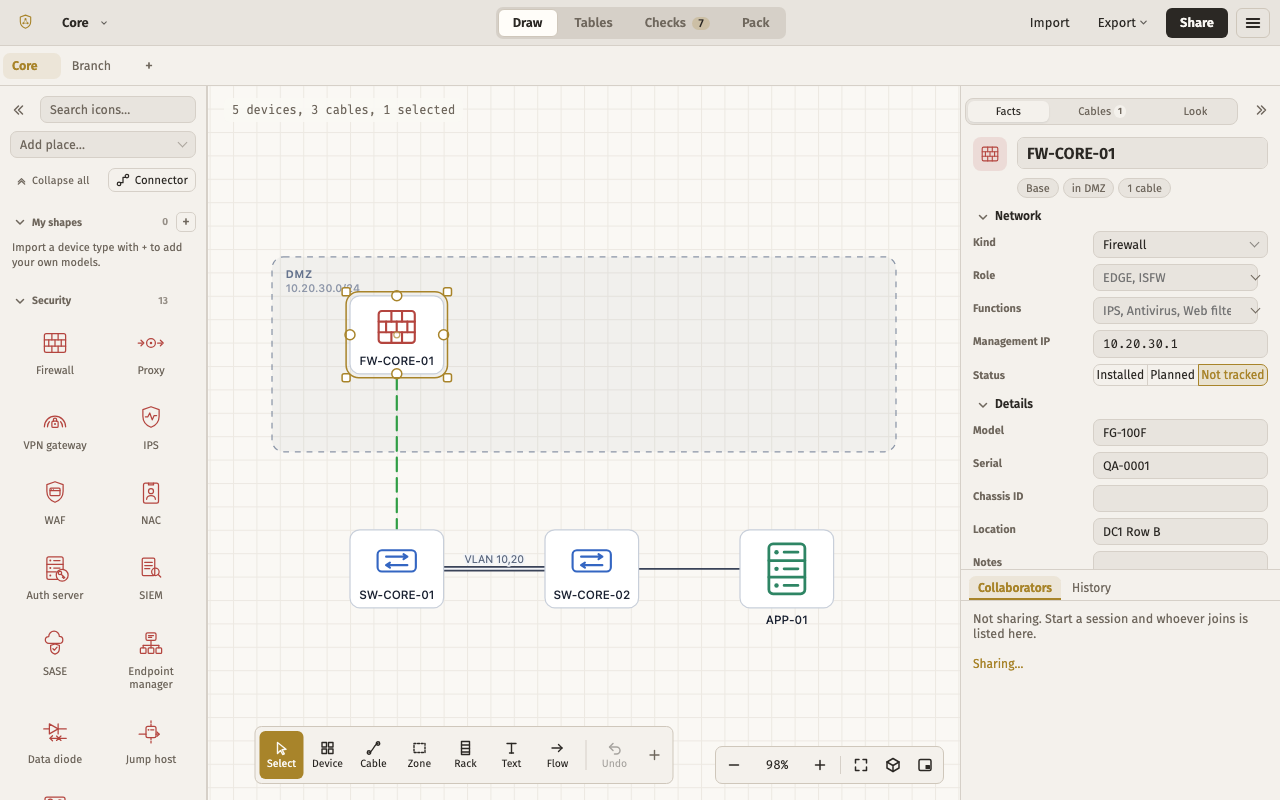
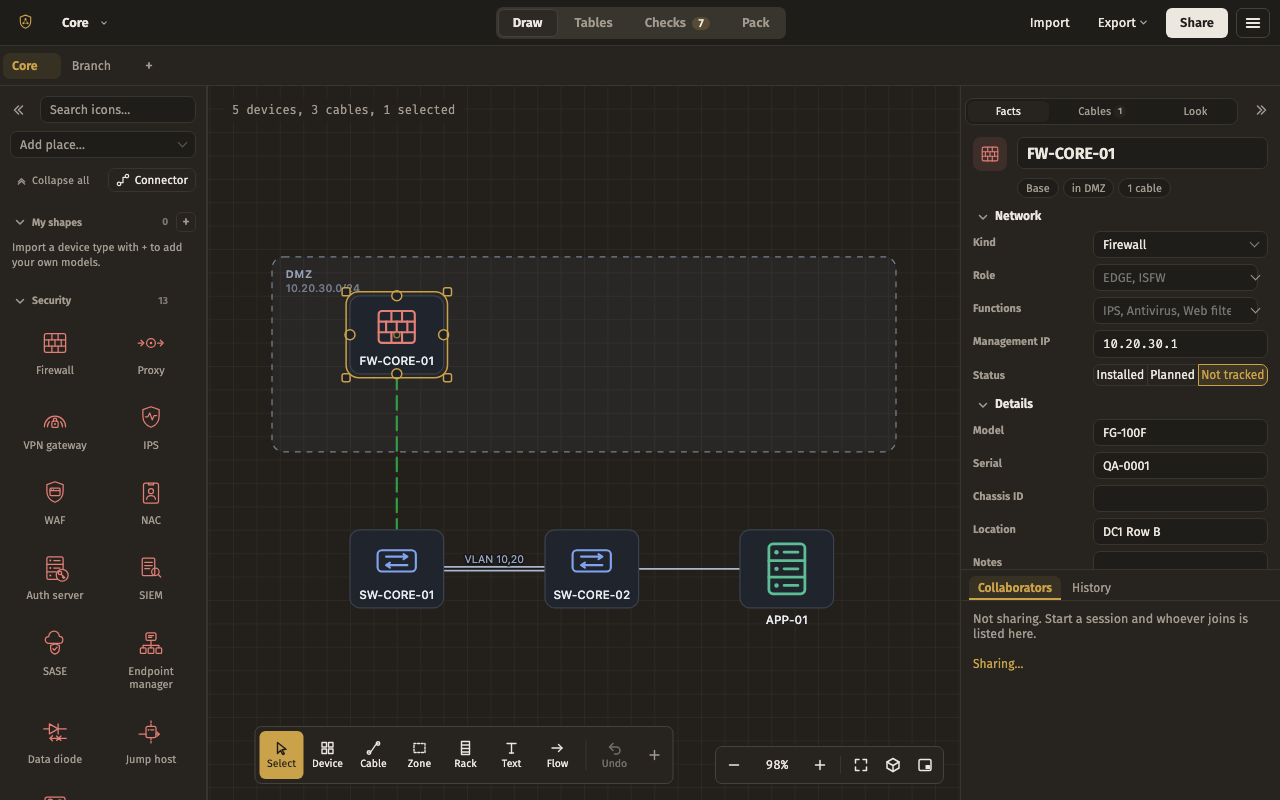
For running a live session: Collaborators and History share a tab slot under Properties on the right, so who is in and what just changed are one glance away while you draw.
Pages top · Shapes left · Properties right · Collaborators right · History right. Put away: Minimap, Drawing, Cable schedule, Trace a path, Find, Table, Checks.
The file, to copy
{
  "app": "drawbridge",
  "kind": "layout",
  "version": 2,
  "exported": "2026-09-15T00:00:00.000Z",
  "layout": {
    "docks": {
      "top": [
        "pages"
      ],
      "left": [
        "palette"
      ],
      "right": [
        "inspector",
        "collab",
        "history"
      ],
      "bottom": []
    },
    "floating": {},
    "sizes": {
      "top": 40,
      "left": 208,
      "right": 320,
      "bottom": 160
    },
    "weights": {
      "inspector": 2
    },
    "groups": [
      {
        "tabs": [
          "collab",
          "history"
        ],
        "active": "collab"
      }
    ],
    "preset": null
  }
}
Walkthrough
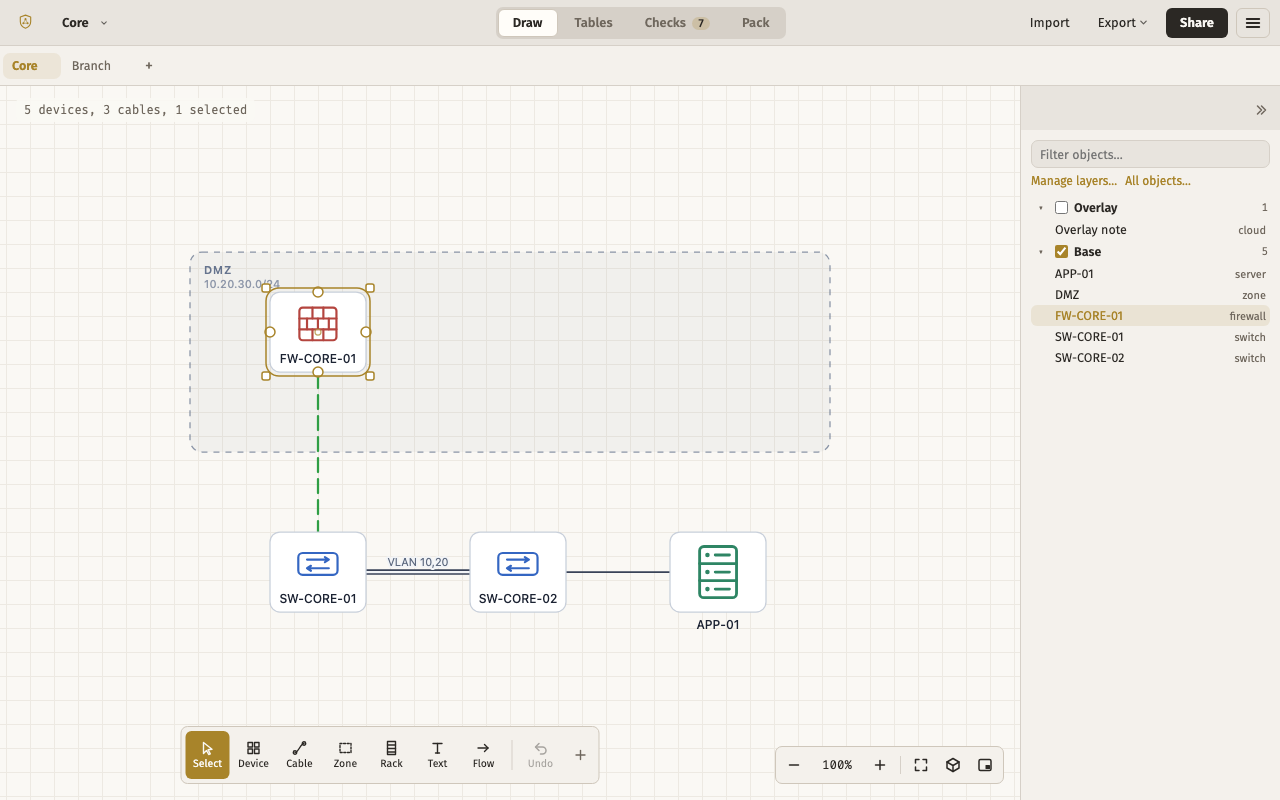
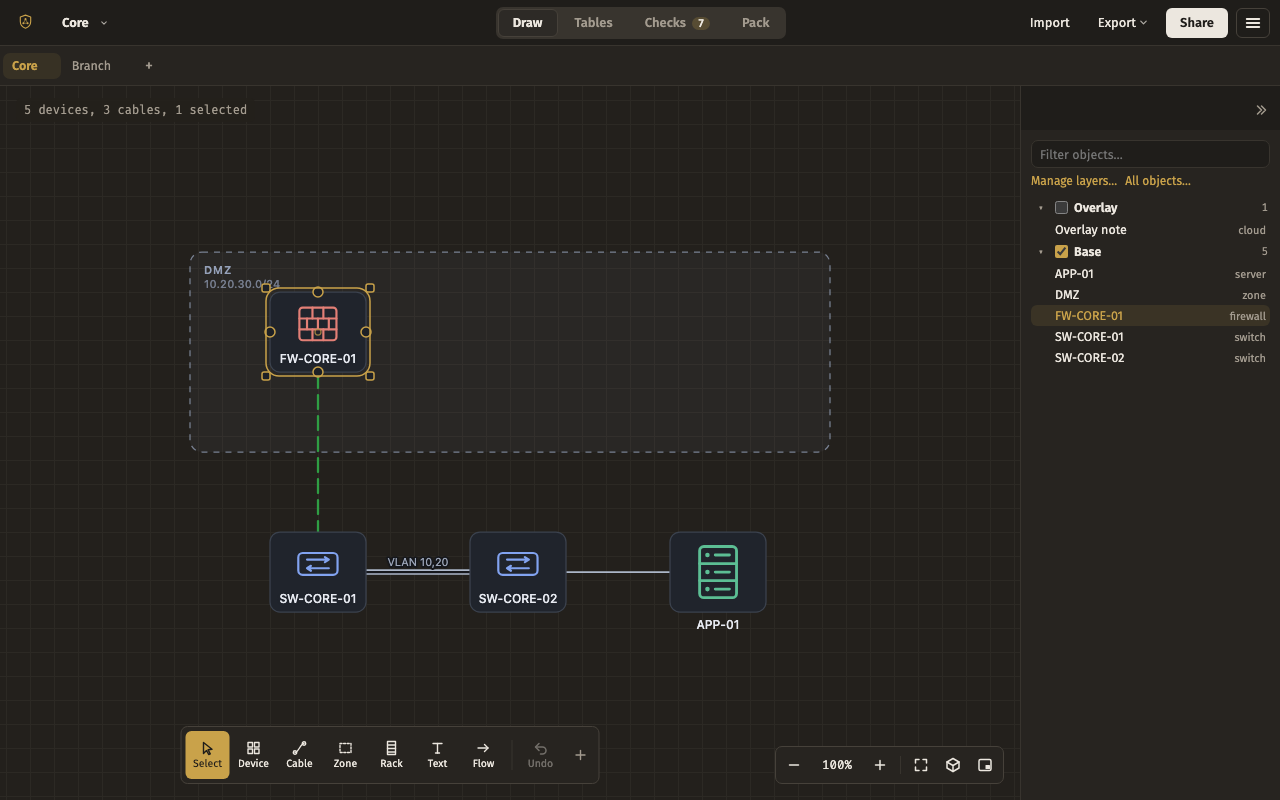
For presenting a finished drawing: the page tabs across the top and the Drawing tree on the right as a table of contents you click through — no palette, no inspector.
Pages top · Drawing right. Put away: Shapes, Properties, Minimap, Cable schedule, Trace a path, Find, History, Collaborators, Table, Checks.
The file, to copy
{
  "app": "drawbridge",
  "kind": "layout",
  "version": 2,
  "exported": "2026-09-15T00:00:00.000Z",
  "layout": {
    "docks": {
      "top": [
        "pages"
      ],
      "left": [],
      "right": [
        "objects"
      ],
      "bottom": []
    },
    "floating": {},
    "sizes": {
      "top": 40,
      "left": 208,
      "right": 260,
      "bottom": 160
    },
    "weights": {},
    "groups": [],
    "preset": null
  }
}
Site survey
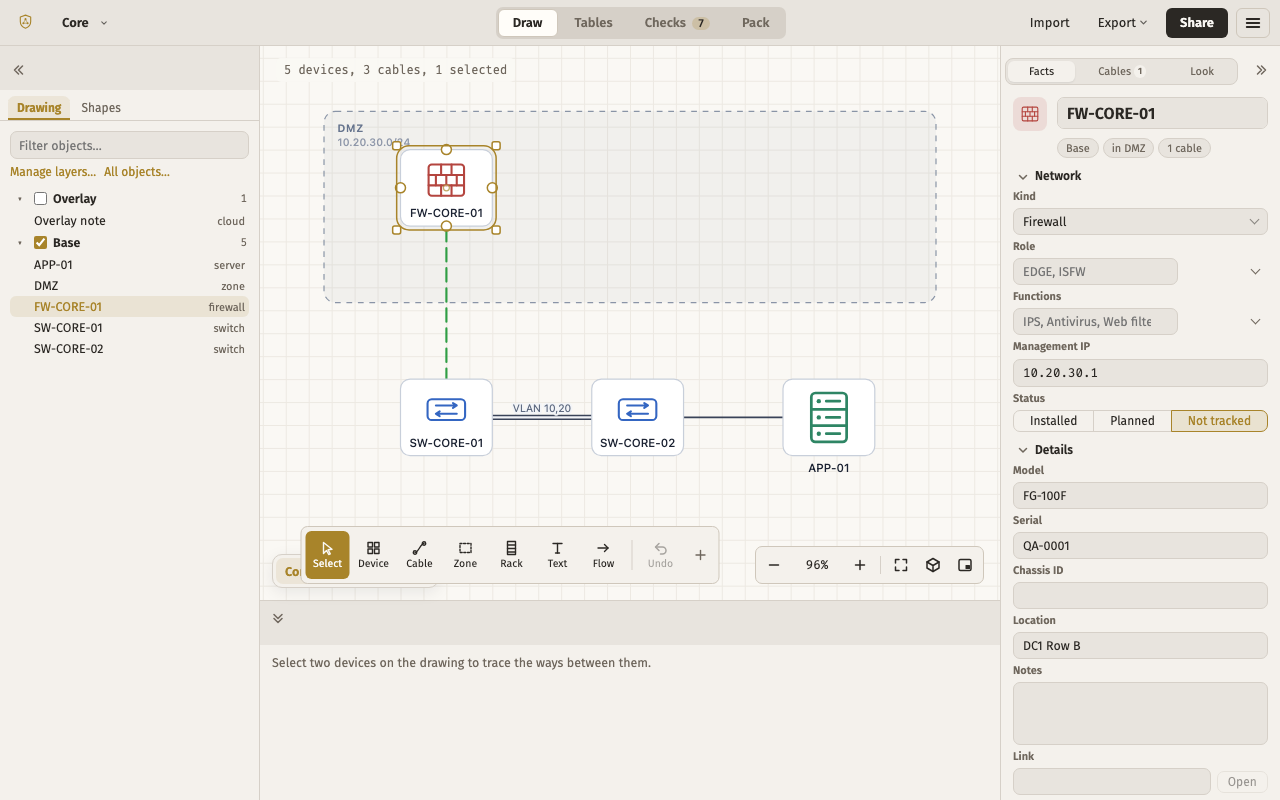
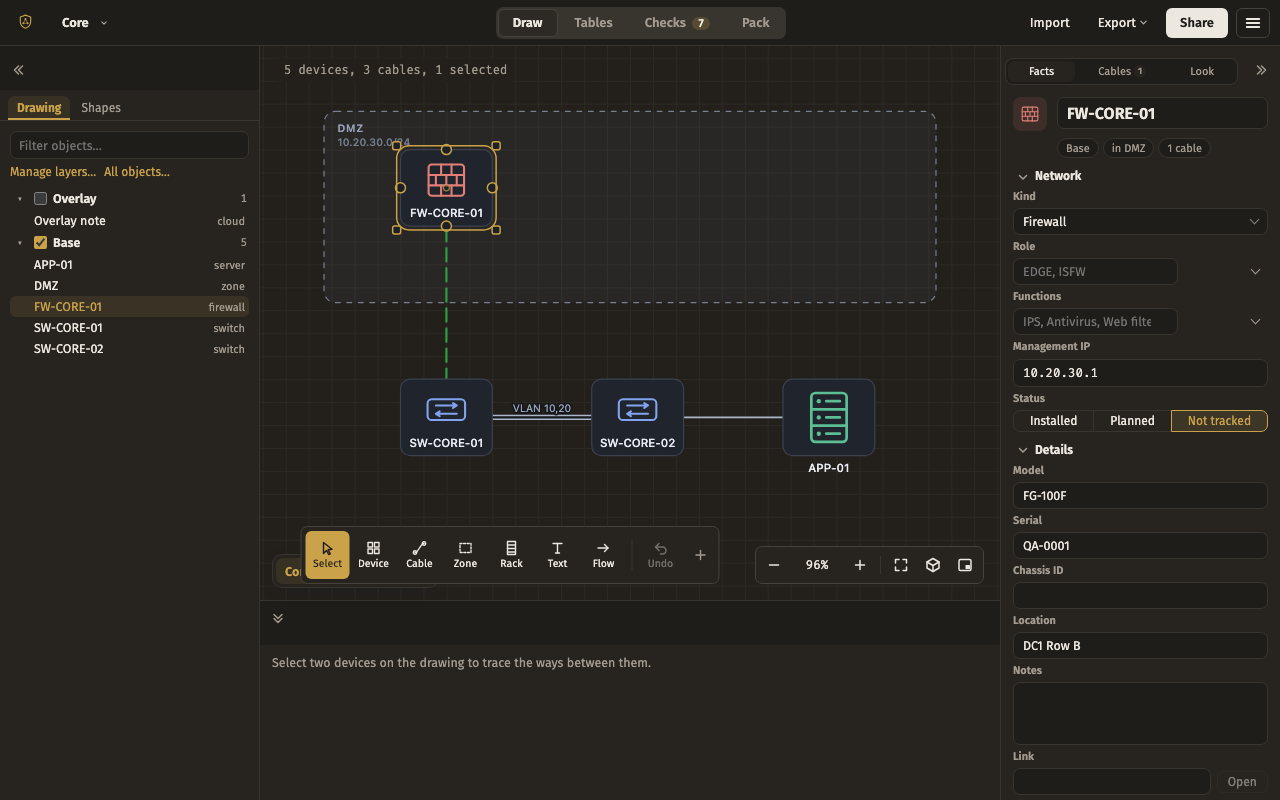
For walking a site and filling a drawing in: the Drawing tree is the front tab on the left with Shapes behind it, Properties on the right, Trace a path along the bottom, and the page tabs in their usual corner.
Drawing left · Shapes left · Properties right · Trace a path bottom · Pages floating. Put away: Minimap, Cable schedule, Find, History, Collaborators, Table, Checks.
The file, to copy
{
  "app": "drawbridge",
  "kind": "layout",
  "version": 2,
  "exported": "2026-09-15T00:00:00.000Z",
  "layout": {
    "docks": {
      "top": [],
      "left": [
        "objects",
        "palette"
      ],
      "right": [
        "inspector"
      ],
      "bottom": [
        "trace"
      ]
    },
    "floating": {
      "pages": {
        "anchor": "bottom-left",
        "x": 12,
        "y": 12,
        "w": "auto",
        "h": "auto"
      }
    },
    "sizes": {
      "top": 40,
      "left": 260,
      "right": 280,
      "bottom": 200
    },
    "weights": {},
    "groups": [
      {
        "tabs": [
          "objects",
          "palette"
        ],
        "active": "objects"
      }
    ],
    "preset": null
  }
}